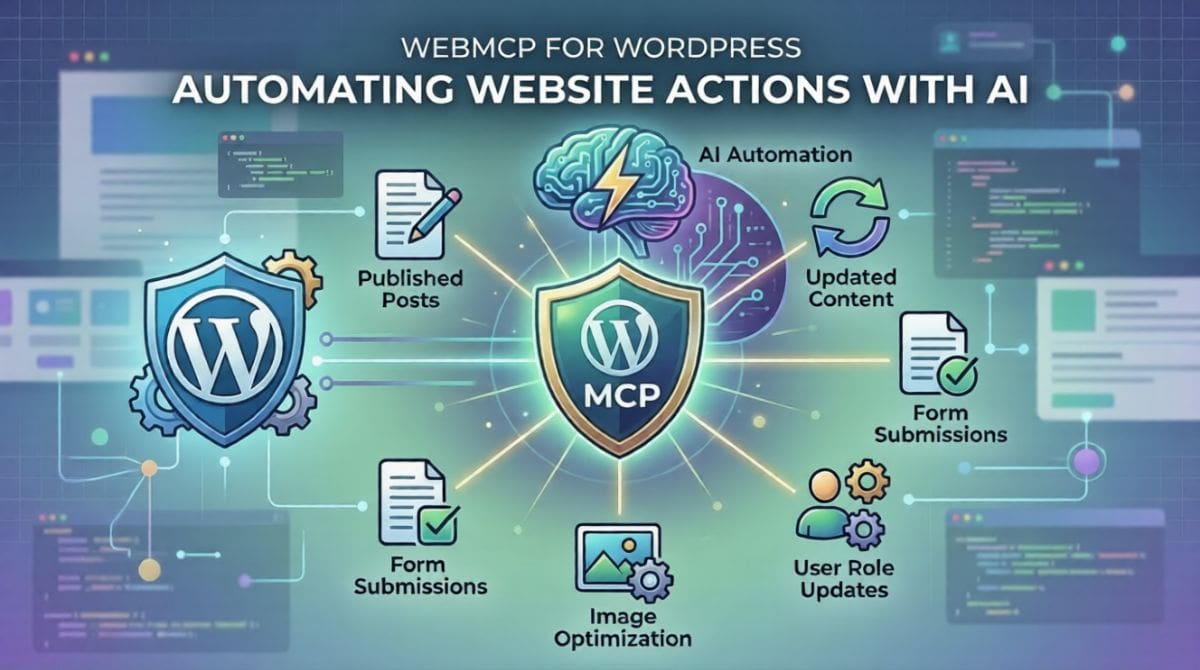
WebMCP for WordPress: Automating Website Actions with AI
When AI starts shaping online life, sites can’t stay frozen like old brochures. Current digital experiences are becoming machine-readable, interactive and automation-ready. Instead of just showing words, they now respond, adapt and quietly connect.
Folks are starting to notice WebMCP WordPress more these days.
Not just stuck with standard website controls, WebMCP adds a clear way for programs and artificial minds to talk through site tasks step by step. On WordPress platforms, automation gains new ground – navigation opens up while smart processes begin taking shape behind the scenes.
Now here is a twist – WebMCP WordPress integration so companies can ready their online spaces ahead of smart bots and voice helpers. Additionally, WebMCP integrates invisible programs that can interact with web pages autonomously. Websites start feeling less like brochures and more like living spots when machines knock, asking questions.
WebMCP WordPress Explained
Starting with WebMCP WordPress means using the WebMCP protocol. This is a set of rules for data communication inside sites built on WordPress. Its purpose? The goal is to enhance AI’s ability to comprehend and engage with web content more efficiently.
Out of sight, older sites focus on looks meant for people. Built right into WebMCP are systems shaped so artificial minds can step through:
- Discover website capabilities
- Execute actions programmatically
- Interact with services through structured requests
An AI assistant might help with tasks:
- Retrieve product data
- Submit form requests
- Trigger workflows
- Get organized, company details
Using WebMCP WordPress sites lets AI access certain features safely, following clear rules. What happens is that control stays firm while openings appear for smart tools to connect properly. This allows for enhanced functionality and improved user experiences on WordPress sites. For example, automated content generation, personalized recommendations and streamlined customer support.
Why WordPress Sites Need AI Automation
Most sites run on WordPress, yet they stick to old ways of interacting. A big chunk of the internet uses it, but habits change slowly.
Now websites talk to software in new ways because of smart helpers, such as chatbots and virtual assistants. This enhances user interaction and streamlines processes. These changes come from tools that think as people do. For example, artificial intelligence algorithms that analyze user behavior and preferences to provide personalized experiences. Machines find information differently these days. Digital tasks run on their own more often now.
AI automation WordPress features:
- AI-Friendly Website Structure
A single click does less here, where steps follow a set path instead of free navigation. Procedures unfold by design, not explanation. Each move fits a framework built for precision. Browning gives way to defined sequences. Actions link through rules, not choices.
- Faster Digital Workflows
Automation tools can interact directly with website functions.
- Enhanced AI Search Compatibility
AI-powered search engines can better interpret structured site capabilities, allowing users to find relevant information more quickly and efficiently.
- Enhanced User Experience
Faster task completion happens when machines skip tangled menus. Interfaces slow things down – automation doesn’t need them.
- Future-Proof Infrastructure
Websites become ready for agent-based interactions and automated platforms. This enables more efficient user experiences and streamlined processes for businesses and consumers alike. These changes can lead to increased productivity and satisfaction among users.
WebMCP marks an important step in the construction of websites. With its features, it helps shape what comes next online – step by step, piece by piece.
How WebMCP WordPress Integration Works
Finding your way around WebMCP inside WordPress means checking out what parts make it work:
Structured Tool Definitions
Websites define tools or actions that AI systems can access.
Examples include:
- Retrieve content
- Submit forms
- Query product catalogs
- Access business data
Machine-Readable Endpoints
A website communicates with smart helpers via organized entry points enabled by WebMCP. These access spots make conversation smooth, shaping how programs connect. Each point serves a clear role, guiding data back and forth without confusion. Instead of chaos, there is order – built right into the system.
Execution Layer
A single click might set things in motion behind the screen. Secure signals slip into place when machines respond. Prebuilt steps unfold across pages without a hand guiding them. These quiet exchanges follow strict rules every time.
Validation and Security
Only after the checks confirm identity can permissions be granted. Layers of approval stand between action and access. Safety lives in the space where trust gets tested. It ensures that every action taken is verified and validated through established protocols. Each step forward needs proof before moving ahead.
This setup makes AI automation in WordPress feel steady and more organized instead of unpredictable. This setup relies on trust in the established protocols that verify and validate each action taken.
Key Use Cases of WebMCP WordPress
Implementing WebMCP WordPress opens several practical use cases for businesses.
AI Search Interaction
Fresh from the web, AI-driven searches grab organized data without extra steps.
Automated Customer Support
FAQs pop up fast when smart helpers dig them out on their own. Service specifics? They pull those without being told each time. Business facts appear just as easily, due to automatic lookups behind the scenes.
Smart Data Retrieval
External platforms can query website databases using structured requests.
Lead Generation Automation
AI helpers automatically handle finding information and sending messages. No clicking around is needed when requests go out or details come back.
Content Discovery
Structured access helps AI systems understand and categorize website content more efficiently. This, in turn, enhances the user experience by providing more relevant search results and recommendations. Today’s site construction increasingly incorporates WebMCP integration with WordPress. A sign of its rising role comes through these real-world examples.
WebMCP vs Traditional WordPress Interaction
Examining past interactions clarifies AI automation in WordPress. Instead of old methods, automated systems now shape the experience differently. One way to see the shift is by checking past approaches alongside today’s tools. Rather than relying solely on manual input, current platforms respond with learned behavior, utilizing algorithms that adapt based on user interactions and preferences. This leads to a more personalized and efficient user experience compared to traditional methods. It often resulted in generic responses and less engagement from users. Seeing both styles together highlights changes in user engagement. In contrast, the role of AI becomes more obvious. What once required step-by-step direction now happens with minimal prompting, demonstrating how AI has streamlined processes and enhanced user engagement in traditional WordPress design.
Traditional WordPress
- Traditional WordPress was primarily designed with the needs of online viewers in mind.
- Limited automation capabilities
- Manual workflows
- Crawling-based data discovery
WebMCP WordPress
- AI-friendly architecture
- Structured tool access
- Automated task execution
- Machine-readable capabilities
Now sites act more like tools you can use, not just pages to read. With this change, online spaces respond instead of simply showing data. What once stayed fixed now moves with input interaction, replacing passive viewing. Pages begin to behave differently when users engage. Instead of standing still, they adapt on their own, responding dynamically to user interactions and preferences.
WebMCP Advantages on WordPress Sites
Starting with WebMCP on WordPress allows companies to transition into AI-powered setups. It enables them to utilize advanced features and enhance their operational efficiency. It lines up tools that fit how future systems will work. For example, enhanced automation features and improved user experience capabilities are essential for modern web development. Change comes quietly when foundations adapt early. Tools begin to align once the structure supports smart upgrades. This allows for seamless integration of new technologies and processes that enhance efficiency and productivity.
Businesses gain ground without chasing trends. Movement toward intelligent workflows grows smoother from the start, as businesses implement AI-ready infrastructure that facilitates seamless integration of AI tools and digital assistants.
- AI-Ready Infrastructure
Websites become compatible with AI tools and digital assistants, allowing for seamless integration and improved user experiences through enhanced automation features.
- Enhanced Website Automation
Smart devices manage most everyday tasks without human assistance by working behind the scenes. For example, scheduling appointments, responding to customer inquiries and processing transactions.
- Improved Data Accessibility
When rules are clear, pulling up information takes less time.
- Competitive Digital Advantage
Folks who jump in first might gain an edge when new AI-powered search and automated tools show up.
- Scalable Website Capabilities
Website features grow when companies use smart digital helpers, such as chatbots and automated content management systems. This enhances user experience and streamlines operations.
Beyond just trends, the rise of WebMCP in WordPress makes sense when you see what it brings. Step by step, real results show its growing role. What stands out isn’t hype – it’s how well things start working once linked.
The Future of WordPress Meets AI Automation
Far from standing still, online spaces now lean into smarter ways of responding. A shift unfolds as machines start shaping how people engage across sites.
Smart tools, operating silently behind screens, now handle tasks previously performed by people clicking through sites. These helpers act like unseen hands guiding actions without human effort involved.
In this future environment:
- Websites will expose structured capabilities
- AI agents will interact directly with services
- Automation will streamline digital workflows
Today’s move toward AI-powered WordPress tools lets companies adapt without losing touch with standard website functions. A shift now keeps older systems working alongside smarter features.
Frequently Asked Questions (FAQs)
WebMCP WordPress refers to integrating the WebMCP protocol into WordPress websites to allow AI systems to interact with website actions through structured communication.
WebMCP WordPress integration works by defining structured tools and endpoints that AI agents can access to retrieve data or perform specific actions.
AI automation in WordPress helps streamline workflows, improve data accessibility and prepare websites for AI-powered search and digital assistants.
Yes, WebMCP WordPress allows websites to expose capabilities that automation tools and AI systems can use to execute tasks more efficiently, such as automating content updates, enhancing user interactions and streamlining data management processes.
Many experts believe that protocols like WebMCP represent the future of machine-readable and AI-compatible web infrastructure.
Final Verdict!
The evolution of the web is moving toward automation, machine readability and AI interaction.
By implementing WebMCP, businesses can transform their websites from static information platforms into interactive, AI-ready systems.
With structured protocols, automated workflows and improved compatibility with intelligent tools. WebMCP WordPress integration represents a significant step toward the future of digital infrastructure.
Organizations that begin preparing their websites now will be better positioned to adapt to the next wave of AI-driven web technologies.
Make a WordPress Site Ready for AI
Now here is a twist – AI tools are changing how people find things online. So company websites can’t stay stuck in old patterns. Discard the notion that websites merely sit idle. When you integrate WebMCP for WordPress, your site becomes capable of communicating with bots, adhering to clear workflows and comprehending user requests. Machines expect clarity these days – not clutter – and this upgrade fits right into that shift without making noise.
Starting at IB Arts, companies get support turning basic sites into smart online spaces using cutting-edge WebMCP methods plus sharp web tuning. The goal is to prepare a WordPress platform for future developments. Especially tapping into AI-powered workflows – a dedicated crew steps in to set up suitable systems.
Start preparing your website for the next generation of AI-powered web experiences today.